


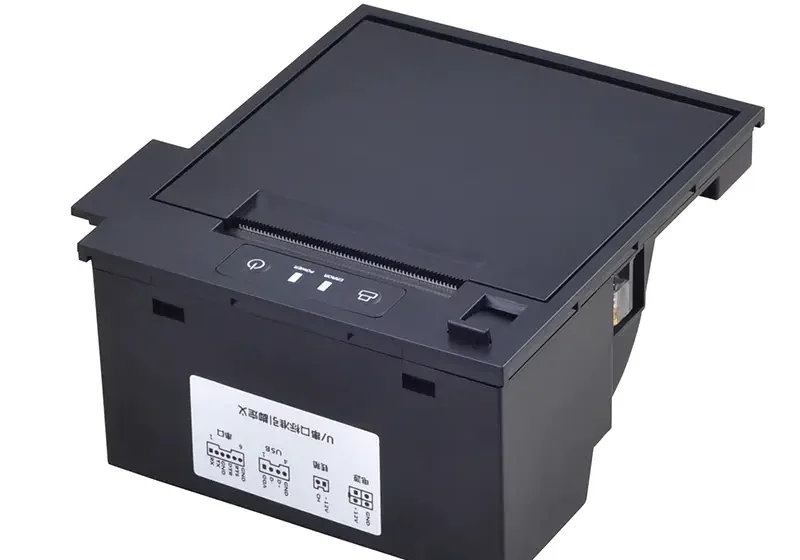

Modern self-service kiosks need reliable printing as much as they need responsive screens and dependable software. Whether a kiosk prints receipts, tickets, queue numbers, labels, or transaction records, the printer must communicate smoothly with the system controlling it. Choosing the right connectivity options early can make installation, maintenance, and future upgrades much easier.
A well-integrated Thermal Kiosk Printer can work as part of a complete kiosk rather than functioning as an isolated component. USB, serial, Ethernet, and other interfaces can support different installation requirements, while compatible drivers and command systems help the kiosk application control printing accurately. Understanding these options makes it easier to select a printer that matches the hardware and software environment.
Understanding Kiosk Printer Connectivity
Connectivity determines how the printer exchanges information with the kiosk’s main controller. The best interface depends on the kiosk design, operating system, physical layout, and communication distance.
Common connectivity options include:
- USB connections for direct communication with a nearby computer
- Serial interfaces for embedded and industrial control systems
- Ethernet connections for networked kiosk environments
- Custom interfaces for specialized equipment
- Multiple interfaces for systems requiring flexible installation
Selecting an appropriate interface can reduce compatibility problems and simplify future maintenance.
USB Connectivity for Direct Integration
USB is one of the most common choices for kiosk systems because it is widely supported by computers and embedded controllers. A USB-connected printer can typically be installed close to the system’s main processing unit without requiring a separate network connection.
This option works well for compact kiosks where the printer and controller are located inside the same enclosure. It can also simplify installation because USB ports and supporting software are readily available on many computing platforms.
However, developers should check driver compatibility and operating-system support before finalizing the hardware.
Serial Interfaces for Embedded Systems
Serial communication remains useful in industrial and embedded kiosk applications. It can provide straightforward communication between a printer and a controller, particularly in systems designed around dedicated hardware.
Serial connections may be suitable when the kiosk does not require network-based printing. They can also be useful in environments where simple and predictable communication is more important than high-speed data transfer.
When using serial communication, developers should confirm communication parameters such as baud rate, data format, and command compatibility.
Ethernet for Networked Kiosks
Ethernet can be valuable when printers need to communicate over a local network. Instead of being physically connected to the same controller, a printer may be accessed by a kiosk application through network infrastructure.
This approach can support installations with multiple kiosks or centralized management systems. Network connectivity may also make it easier to monitor printer availability and manage devices located in different areas.
For larger deployments, administrators should consider network configuration, access controls, device addressing, and communication security.
Software Integration and Printer Commands
Hardware connectivity is only one part of successful integration. The kiosk software must also know how to communicate with the printer.
Many thermal printing systems use command languages that allow applications to control functions such as:
- Text formatting
- Character size and alignment
- Barcode printing
- QR code generation
- Paper cutting
- Line feeds
- Image printing
- Printer status requests
Developers should verify that the printer supports the commands required by the kiosk application. This can prevent unexpected formatting issues after installation.
Driver and Operating System Compatibility
Before selecting a printer, it is important to identify the operating system used by the kiosk controller. Windows-based systems, Linux environments, Android platforms, and specialized embedded systems may have different driver requirements.
A printer that works correctly in one environment may require additional configuration in another. Checking available drivers, software libraries, and developer documentation before deployment can reduce integration time.
For custom kiosk software, testing the printer with the actual application is preferable to relying only on general compatibility claims.
Integrating Printer Status Monitoring
A reliable kiosk should be able to recognize common printer conditions. Status monitoring can help software respond when paper is running low, the cover is open, a paper jam occurs, or another fault prevents printing.
This capability is especially useful for unattended kiosks. Instead of allowing users to encounter repeated failed print attempts, the system can display an appropriate message or notify maintenance personnel.
For large deployments, status information can also become part of a centralized monitoring system.
Power and Physical Integration
Connectivity should also be considered from a hardware perspective. A kiosk printer must fit within the available enclosure while receiving stable power and maintaining proper cable routing.
Designers should evaluate:
- Available mounting space
- Power requirements
- Connector positions
- Cable lengths
- Paper loading access
- Ventilation requirements
- Maintenance access
Good physical planning helps prevent connectors from becoming difficult to reach after the kiosk has been assembled.
Connecting Printers to Payment and Control Systems
Many kiosks combine printing with other functions, including payment processing, identification, ticket validation, or product selection. The printer therefore needs to work reliably alongside these components.
For example, a kiosk application may complete a transaction, receive confirmation from a payment system, and then send the appropriate receipt data to the printer. Clear communication between these stages helps prevent duplicate or incomplete documents.
Software developers should also consider what happens if printing fails after a successful transaction.
Designing for Reliable Communication
Reliable connectivity is more than selecting a connector. The complete communication path should be tested under realistic operating conditions.
Testing should include repeated print jobs, unexpected disconnections, system restarts, high-volume operation, and printer error conditions. These tests can reveal problems that may not appear during basic installation.
It is also useful to confirm how the kiosk application handles delayed responses or temporary communication failures.
Supporting Future Kiosk Upgrades
A connectivity decision can affect the kiosk long after the initial installation. Hardware may later be replaced, software may be upgraded, or the kiosk may be connected to a central management platform.
Choosing a printer with appropriate interface options and well-supported communication methods can provide greater flexibility. It may also reduce the need to redesign the kiosk when future requirements change.
For businesses planning large deployments, compatibility and maintainability should therefore be considered alongside the initial purchase cost.
Final Considerations
The right connectivity option depends on the kiosk’s architecture, software platform, communication requirements, and physical design. USB can be convenient for direct connections, serial interfaces can suit embedded systems, and Ethernet can provide advantages for networked installations.
Successful integration also requires attention to drivers, command compatibility, status monitoring, power, mounting, and error handling. By evaluating these factors before deployment, businesses can build kiosk systems that provide consistent printing performance while remaining easier to maintain and upgrade.


