
Business operations are becoming increasingly mobile as retailers, restaurants, delivery services, and other industries adopt flexible digital systems. Traditional checkout counters are no longer the only places where transactions take place. Employees may process payments on tablets, assist customers across a sales floor, or complete orders at temporary service locations. These changes have increased the demand for printing equipment that can operate without a permanent wired connection.
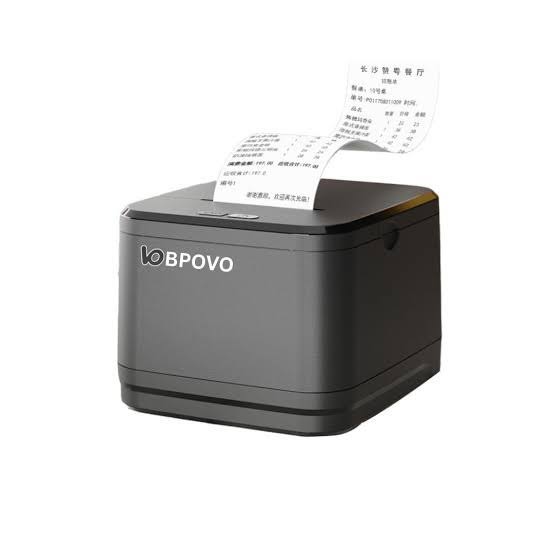
Wireless technologies such as Bluetooth and Wi-Fi are making receipt printing more flexible and convenient. A modern Thermal Receipt Printer with suitable wireless connectivity can work alongside mobile devices and compatible point-of-sale systems, helping businesses produce transaction records in different working environments.
1. The Growing Importance of Wireless Receipt Printing
Traditional receipt printers commonly connect to computers or POS terminals through cables. Although wired connections remain reliable and widely used, they can limit printer placement and require additional cable management.
Wireless printing reduces dependence on physical connections. Businesses can position compatible printers where they are most useful without running cables between every device.
This flexibility is valuable in environments where employees move frequently or where checkout arrangements change throughout the day.
Wireless receipt printing is particularly useful for:
- Restaurants and cafés with mobile ordering systems.
- Retail stores offering assisted checkout.
- Delivery services issuing transaction records.
- Outdoor vendors and market stalls.
- Temporary sales counters and event locations.
- Businesses using tablets as POS terminals.
2. How Bluetooth Connectivity Supports Thermal Printing
Bluetooth is one of the most common wireless technologies used in portable receipt printers. It allows compatible devices to communicate over short distances without requiring a direct cable connection.
For example, a restaurant employee can use a compatible tablet or smartphone to send transaction information to a nearby Bluetooth receipt printer.
The printer receives the data and produces the receipt through its thermal printing mechanism.
Bluetooth connectivity offers several advantages:
- Simple connections with compatible devices.
- Reduced dependence on physical cables.
- Convenient use in smaller workspaces.
- Support for portable printing arrangements.
- Flexibility for mobile POS applications.
However, businesses should check Bluetooth versions, supported profiles, operating-system compatibility, and software requirements before purchasing equipment.
3. The Role of Wi-Fi in Network-Based Receipt Printing
Wi-Fi provides another option for connecting thermal receipt printers to business networks.
Unlike short-range device-to-device connections, Wi-Fi allows compatible printers to communicate through a local wireless network. This can be useful in larger retail stores, restaurants, and workplaces where multiple devices need access to shared printing equipment.
For example, several POS terminals may send printing requests to a network-connected printer, depending on the software configuration.
Wi-Fi connectivity can support:
- Flexible printer placement within network coverage.
- Communication with compatible POS systems.
- Shared printing across multiple workstations.
- Integration with network-based business applications.
- Reduced cable requirements.
Businesses should consider network coverage, security settings, connection stability, and printer compatibility when implementing wireless printing.
4. Integration With Smartphones and Tablets
Smartphones and tablets have become important tools for modern business operations. Many small retailers and service providers use mobile devices instead of traditional desktop-based POS terminals.
Wireless thermal printers allow these devices to generate physical receipts when supported by compatible applications and printer drivers.
A typical workflow involves an employee completing a transaction through a mobile POS application. The application sends the formatted receipt data to the connected printer, which then produces the document.
This arrangement can reduce the need for fixed checkout stations and help employees serve customers in different parts of a business.
5. More Flexible Checkout Experiences in Retail Stores
Retail businesses are increasingly exploring checkout arrangements that allow employees to assist customers away from traditional counters.
Mobile POS devices can help staff check product information, process payments, and issue receipts while moving around the sales floor.
Wireless receipt printers support these activities by allowing compatible printing equipment to operate near employees or designated service points.
This can be particularly helpful during busy periods when fixed checkout counters become crowded.
Retailers should evaluate wireless range, battery life for portable models, and POS application compatibility to ensure that mobile checkout processes remain dependable.
6. Improving Restaurant and Hospitality Operations
Restaurants and hospitality businesses often need to coordinate orders, payments, and customer service across several areas.
Wireless receipt printing can support different workflows, including mobile payment processing, customer receipts, and order documentation.
For example, staff members may take orders using tablets and send information to compatible printers without returning to a fixed workstation.
In larger restaurant environments, network-connected printers may also support communication between POS terminals and designated printing stations.
The exact setup depends on the software, printer type, and network configuration. Businesses should distinguish between customer receipt printers and kitchen printers because their operating requirements may differ.
7. Supporting Mobile and Outdoor Business Activities
Not all businesses operate from permanent indoor locations. Food vendors, delivery workers, event sellers, and field service providers may need to complete transactions in different places.
Portable thermal receipt printers offer a practical solution for these situations.
Many mobile models combine compact dimensions, rechargeable batteries, and Bluetooth connectivity. Employees can carry them with compatible smartphones or tablets and print receipts when required.
Important considerations for mobile printing include:
- Battery capacity and operating time.
- Printer weight and dimensions.
- Supported paper roll size.
- Wireless connection stability.
- Charging options.
- Durability for the intended environment.
Selecting a suitable portable model helps businesses maintain transaction documentation outside conventional checkout environments.
8. Faster Transaction Processing Through Wireless Integration
Wireless connectivity can help reduce unnecessary steps in the transaction process.
In a compatible POS environment, employees can complete a sale on a mobile device and send receipt information directly to the printer. This eliminates the need to transfer information manually to a separate computer.
Automated communication between POS software and printing equipment can also reduce input errors and improve workflow consistency.
However, wireless connectivity alone does not guarantee faster printing. Overall performance depends on the printer’s processing capability, printing speed, network conditions, and the efficiency of the POS application.
9. Reducing Cable Clutter and Improving Workspace Organization
Busy business environments often contain several electronic devices, including payment terminals, barcode scanners, computers, and printers.
Multiple cables can make checkout areas difficult to organize and may restrict where equipment can be placed.
Wireless printers can reduce some of these cable-management challenges. A compatible printer may be positioned in a convenient location without requiring a direct data cable to the POS terminal.
This can make smaller counters easier to arrange and provide greater flexibility when businesses redesign their workspaces.
It is important to remember that wireless printers may still require power cables or charging connections unless they are battery-powered.
10. The Importance of Wireless Range and Connection Stability
Wireless connectivity must remain stable to support dependable receipt printing.
Bluetooth and Wi-Fi have different operating characteristics, and their effective range depends on device specifications and environmental conditions.
Physical obstacles, network interference, signal congestion, and incorrect configuration can affect communication.
Businesses can improve wireless reliability by:
- Placing printers within the recommended connection range.
- Reducing unnecessary obstacles between connected devices.
- Using appropriate network equipment.
- Keeping printer firmware and device software updated.
- Testing connections during normal operating conditions.
- Following manufacturer pairing and configuration instructions.
For businesses with high transaction volumes, it is also useful to have a backup printing or transaction-recording procedure in case wireless communication becomes temporarily unavailable.
11. Security Considerations for Wireless Receipt Printers
Wireless connectivity introduces security considerations that businesses should not overlook.
A network-connected printer may communicate with POS terminals, computers, tablets, and other devices that handle business information.
If printer access is not properly managed, unauthorized devices may attempt to connect or send unwanted printing requests.
Businesses should follow appropriate security practices, including:
- Using secure Wi-Fi authentication.
- Changing default passwords where applicable.
- Restricting printer access to authorized devices.
- Keeping firmware updated.
- Avoiding unsecured public networks for sensitive business operations.
- Following the security recommendations of the printer manufacturer.
These measures help protect connected equipment and reduce avoidable network risks.
12. Wireless Printing and Cloud-Based POS Platforms
Cloud-based POS platforms allow businesses to manage transactions and other operational information through connected software services.
When compatible printers and applications support the required communication methods, wireless receipt printing can become part of a broader cloud-connected workflow.
For businesses operating multiple locations, centralized software may help coordinate transaction processing and printer management.
However, cloud connectivity and wireless connectivity are not the same thing. A printer may connect wirelessly to a local POS device without directly accessing cloud services. The application or network system determines how transaction data is processed and delivered.
Understanding this distinction helps businesses choose equipment that supports their actual software architecture.
13. Combining Printed and Digital Receipts
Digital receipts are becoming more common as businesses adopt email, mobile applications, and electronic payment platforms.
Nevertheless, many customers still prefer printed receipts for returns, expense records, and transaction verification.
Wireless printing can support flexible receipt options by working alongside mobile POS applications that offer both physical and electronic documentation.
For example, an employee may process a transaction on a tablet and provide a printed receipt through a connected thermal printer while the software also offers an electronic copy.
This combination allows businesses to accommodate different customer preferences without relying exclusively on one receipt format.
14. Choosing a Wireless Thermal Receipt Printer
Not every wireless printer is suitable for every business. Before purchasing equipment, organizations should compare technical specifications and confirm compatibility with their existing systems.
Important factors include:
Connectivity options: Determine whether Bluetooth, Wi-Fi, or both are required for the intended workflow.
Device compatibility: Check whether the printer works with the business’s smartphones, tablets, computers, and POS software.
Printing speed: Select a model capable of handling the expected number of transactions.
Print resolution: Consider the clarity required for text, logos, barcodes, and QR codes.
Battery performance: For portable models, evaluate battery capacity, charging time, and expected operating duration.
Paper compatibility: Confirm supported paper width, roll diameter, and other specifications.
Durability: Choose equipment designed for the working conditions in which it will be used.
Technical support: Review driver availability, documentation, warranty coverage, and access to replacement components.
A careful comparison can help businesses avoid connection problems and unnecessary equipment expenses.
15. Common Challenges in Wireless Thermal Printing
Although wireless printing offers flexibility, businesses may encounter technical issues during installation or daily use.
Pairing Difficulties
Bluetooth printers may fail to connect when devices are incompatible, previously paired connections interfere, or the pairing process is incomplete.
Weak Wi-Fi Signals
Printers positioned outside reliable network coverage may experience interrupted communication or delayed printing.
Software Compatibility Problems
Some POS applications support only specific printer models, drivers, or command languages. Compatibility should be verified before deployment.
Battery Limitations
Portable printers require regular charging. Insufficient battery capacity can interrupt operations during busy periods.
Network Security Issues
Incorrect network settings or weak authentication can create unnecessary risks for connected equipment.
Most of these challenges can be reduced through careful equipment selection, proper configuration, regular updates, and routine testing.
16. Future Developments in Mobile and Wireless Receipt Printing
Wireless receipt printing is likely to continue evolving as mobile commerce, digital payments, and cloud-based business systems develop.
Future improvements may include more efficient wireless communication, longer-lasting batteries, easier device pairing, and better integration with business applications.
Printer management software may also provide more detailed monitoring and configuration features, helping businesses manage several connected devices.
At the same time, manufacturers may continue developing smaller and more durable portable printers for businesses that require printing outside traditional checkout environments.
These developments could make wireless receipt printing increasingly practical across retail, hospitality, logistics, and field services.
Conclusion
Mobile and wireless connectivity is transforming thermal receipt printing by making equipment more flexible, accessible, and adaptable to modern business workflows. Bluetooth and Wi-Fi allow compatible printers to work with smartphones, tablets, and network-based POS systems, reducing dependence on fixed wired connections.
These capabilities support mobile checkout, restaurant operations, outdoor sales, and other applications where employees need greater freedom to process transactions.
Businesses should still consider compatibility, wireless reliability, security, battery performance, and printing requirements before selecting equipment. By choosing the right connectivity options and maintaining their systems properly, organizations can use wireless thermal printing to support more efficient and flexible operations.