


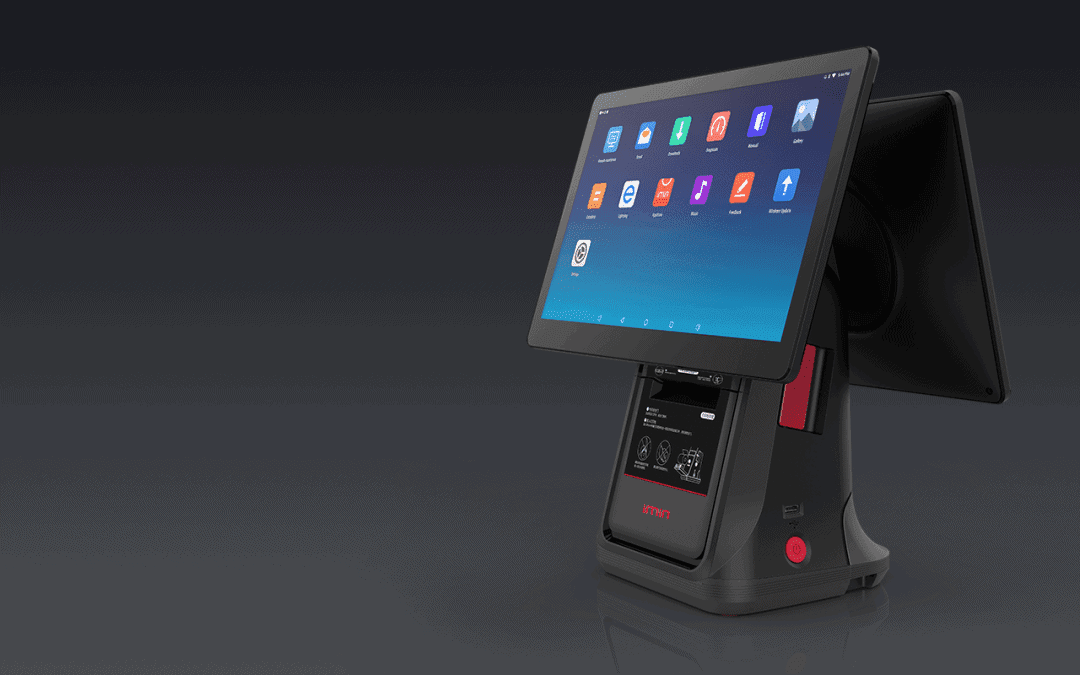

Managing point-of-sale equipment across multiple retail locations requires careful planning. When several stores need terminals, barcode scanners, receipt printers, cash drawers, and other peripherals, purchasing hardware individually can create inconsistencies and make maintenance more difficult.
A centralized purchasing strategy can make multi-location deployments easier to manage and control. Working with an experienced POS Hardware Supplier can help businesses identify compatible equipment, compare specifications, and plan quantities based on each location’s requirements. A structured approach also makes it easier to maintain consistent hardware standards across the organization.
Assess the Requirements of Each Location
Before placing a bulk order, businesses should create a detailed equipment assessment for every store. Not every location will necessarily require the same number or type of devices.
Consider factors such as:
- Number of checkout stations
- Average transaction volume
- Store size and layout
- Operating hours
- Product range
- Available network infrastructure
- Expected future growth
This assessment provides a realistic basis for determining the total quantity of hardware required.
Establish a Standard Hardware Configuration
Using standardized equipment across locations can simplify training, maintenance, and troubleshooting. Employees who move between stores are also more likely to be familiar with the same equipment and interfaces.
A standard configuration might include a specific POS terminal, barcode scanner, receipt printer, cash drawer, and payment device. Where different hardware is necessary, businesses should document the reasons for those variations.
Create a Detailed Hardware Inventory
A comprehensive inventory helps prevent both shortages and unnecessary purchases. Each store should have its required equipment documented before the order is finalized.
An inventory can include:
- Equipment type
- Required quantity
- Preferred model or specification
- Store location
- Installation requirements
- Replacement or backup units
- Expected deployment date
Keeping this information organized makes large hardware purchases easier to coordinate.
Calculate the Right Quantity
Bulk purchasing does not mean ordering excessive quantities. Businesses should calculate requirements based on the number of active checkout stations and operational demands at each location.
It can also be useful to keep a limited number of spare devices for critical components. Having replacement hardware available can reduce downtime when equipment unexpectedly fails.
Consider Compatibility Across Locations
Hardware should be compatible with the company’s POS software, payment systems, operating environments, and networking infrastructure. Inconsistent equipment can create additional configuration and support requirements.
Before committing to a large order, businesses should test the proposed hardware in a controlled environment. Confirming compatibility before deployment can prevent costly problems across multiple stores.
Evaluate Bulk Pricing and Total Costs
Large orders may provide opportunities for volume pricing, but the lowest unit price should not be the only consideration. Businesses should evaluate the complete cost associated with purchasing and deploying the equipment.
Relevant costs may include:
- Hardware and accessories
- Shipping and delivery
- Installation
- Configuration
- Maintenance
- Warranty coverage
- Replacement parts
- Technical support
A slightly higher upfront cost may provide better long-term value if the equipment is more durable and easier to maintain.
Plan Delivery and Distribution
Coordinating delivery across multiple locations requires careful scheduling. Sending all equipment to one central facility may make inventory control easier, while direct delivery to individual stores can reduce internal distribution work.
Businesses should establish clear delivery schedules and ensure that each shipment contains the correct equipment for its destination. Labeling equipment by store can also simplify deployment.
Prepare for Installation
Bulk hardware purchases often require more than simply unpacking devices and connecting them. Each POS station may need software configuration, network setup, peripheral connections, and testing.
Businesses should create a deployment plan that identifies who is responsible for installation and when each store will be ready. A standardized installation checklist can help ensure that every location follows the same process.
Build a Maintenance and Support Plan
Once hardware is deployed, ongoing support becomes an important part of managing a multi-store POS environment. Businesses should maintain records showing the equipment assigned to each location and track repairs, replacements, and warranty status.
Standardized hardware can make troubleshooting easier because support teams can work with familiar devices across the network. Businesses can also use maintenance records to identify equipment that experiences repeated problems.
Plan for Future Expansion
A bulk hardware purchase should account for more than immediate requirements. Businesses expecting to open additional stores or increase transaction volumes should consider whether their chosen hardware can support future deployments.
Ordering equipment that fits a consistent long-term standard can simplify expansion. It also reduces the risk of introducing several different hardware configurations over time.
Review the Purchase Before Deployment
Before finalizing a large order, conduct a final review of quantities, specifications, compatibility, pricing, delivery schedules, and support arrangements.
It is also useful to confirm that all critical components are available at the same time. A missing printer or payment device, for example, could prevent an otherwise complete checkout station from becoming operational.
Conclusion
Planning a bulk POS hardware purchase requires coordination between procurement, IT, operations, and individual store teams. By assessing location-specific requirements while maintaining consistent hardware standards, businesses can create a more manageable and scalable POS environment.
Careful inventory planning, compatibility testing, cost evaluation, coordinated delivery, and ongoing support can help organizations get greater value from large hardware purchases. A well-planned procurement strategy also provides a stronger foundation for future store openings and technology upgrades.


