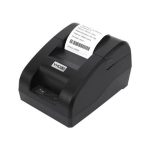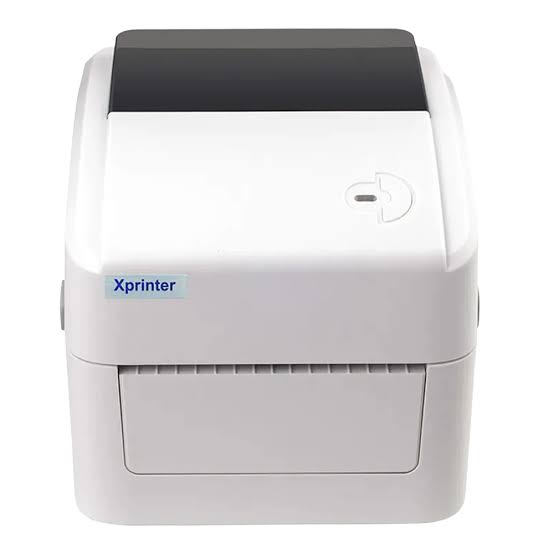

Thermal printing has become an important technology in modern businesses because it offers a fast, convenient, and cost-effective way to produce receipts, labels, tickets, and other printed materials. Unlike traditional printers that rely on ink or toner, thermal printers use heat to create text and images on specially designed paper or labels. This technology is widely used in retail stores, restaurants, warehouses, healthcare facilities, and logistics operations.
An Xprinter Thermal Printer is designed to support everyday printing requirements across different business environments. Understanding how these printers operate, their main components, and their practical applications can help businesses determine whether thermal printing is the right solution for their operational needs.
What Is an Xprinter Thermal Printer?
An Xprinter thermal printer is a printing device that uses heat-based technology to produce text, graphics, barcodes, receipts, and labels. It is part of a broader category of thermal printing equipment commonly used for point-of-sale systems, product identification, shipping documentation, and transaction records.
These printers are available in different configurations to accommodate various printing tasks. Depending on the model, they may support receipt printing, barcode labeling, or other specialized applications.
Thermal printers are particularly useful in environments where printing speed, operational simplicity, and consistent output are important. Their relatively straightforward printing mechanisms also help reduce the maintenance requirements associated with traditional ink-based devices.
How Does Thermal Printing Technology Work?
Thermal printing works by applying controlled heat to a printing surface. The exact process depends on the printing method used, but most thermal printers operate through one of two primary technologies: direct thermal printing or thermal transfer printing.
1. Direct Thermal Printing
Direct thermal printing uses chemically treated paper that reacts when exposed to heat. The printer contains a thermal printhead with numerous small heating elements that activate specific areas of the paper.
When the paper passes beneath the printhead, selected elements heat up and cause the coating to darken. These heated areas form the required text, numbers, barcodes, or images.
The process involves several steps:
- The printer receives digital information from a connected device.
- The internal controller converts the information into printable patterns.
- The thermal printhead activates selected heating elements.
- The heat-sensitive paper develops dark marks in the required positions.
- The finished print moves out of the printer.
Direct thermal technology does not require ink cartridges, ribbons, or toner. However, printed materials may gradually fade when exposed to excessive heat, sunlight, or friction.
2. Thermal Transfer Printing
Thermal transfer printing uses heat to transfer ink from a coated ribbon onto paper or another label material. Instead of relying on chemically treated paper, this method uses a ribbon positioned between the printhead and the printing surface.
As the printhead heats selected areas of the ribbon, the ink melts and transfers onto the material. This produces text, barcodes, and graphics that are generally more resistant to environmental conditions than standard direct thermal prints.
Thermal transfer printing is commonly used for product labels, warehouse identification, industrial labeling, and applications requiring longer-lasting printed information.
Main Components of a Thermal Printer
Understanding the main components helps explain how a thermal printer produces accurate and consistent results.
Thermal Printhead
The printhead is the central component responsible for generating heat. It contains multiple heating elements that activate specific areas of the printing material to create text, graphics, and barcodes.
Printhead quality and resolution influence the clarity of the final output. Regular cleaning is important because accumulated dust and residue can affect printing performance.
Platen Roller
The platen roller is responsible for moving the paper or label through the printing mechanism. It maintains contact between the printing material and the printhead, helping ensure consistent pressure and positioning.
Paper or Label Feed Mechanism
The feeding mechanism guides the printing material through the printer. Depending on the design, it may include guides, sensors, and rollers that help maintain correct alignment.
Control Board
The control board processes incoming printing instructions and manages the operation of the printer. It coordinates communication, printhead activity, paper movement, and other internal functions.
Connectivity Interfaces
Connectivity options allow the printer to receive data from computers, point-of-sale terminals, mobile devices, and other systems. Common interfaces include USB, Ethernet, serial connections, and wireless technologies, depending on the model.
Common Applications of Xprinter Thermal Printers
Thermal printers support a wide range of commercial and industrial activities. Their applications depend on printing requirements, media compatibility, and the capabilities of individual models.
Retail and Point-of-Sale Systems
Retail stores frequently use thermal printers to generate transaction receipts, payment records, and order information. Their fast printing capabilities help businesses process customer purchases efficiently, especially during busy periods.
Restaurants and Food Services
Restaurants use thermal printers to print kitchen orders, customer receipts, delivery information, and transaction records. Kitchen printing systems can help staff communicate orders more accurately between service counters and preparation areas.
Logistics and Warehousing
Shipping companies and warehouses rely on label printing to identify packages, track inventory, and organize shipments. Barcode labels make it easier to scan products and update inventory information throughout the distribution process.
Healthcare Facilities
Hospitals, pharmacies, and laboratories use thermal printing equipment for patient identification labels, prescription information, specimen tracking, and administrative documentation.
In these environments, accurate and readable printed information helps support organized workflows and reduce identification errors.
Transportation and Ticketing
Thermal printers are also used to produce boarding passes, parking tickets, travel documents, and entry tickets. Their compact designs and relatively fast operation make them suitable for automated ticketing systems.
Advantages of Using Thermal Printers
Thermal printing offers several practical benefits compared with conventional printing technologies.
Reduced consumable requirements: Direct thermal printers do not need ink or toner cartridges, which can simplify routine maintenance and reduce certain operating expenses.
Fast printing performance: Thermal technology can produce receipts and labels quickly, making it suitable for businesses with frequent printing requirements.
Quiet operation: Many thermal printers operate with relatively little noise because they use fewer moving printing components than traditional impact printers.
Compact design: Many models are designed to fit into limited workspaces, including checkout counters, service desks, and small offices.
Consistent output: When compatible materials and properly maintained equipment are used, thermal printers can produce clear text, barcodes, and graphics.
Factors to Consider When Choosing a Thermal Printer
Selecting suitable printing equipment requires an understanding of the business’s daily requirements. Several factors can influence the decision.
Printing Method
Determine whether direct thermal or thermal transfer printing is more appropriate. Direct thermal printing is generally suitable for short-term receipts and labels, while thermal transfer printing is often preferable for applications requiring greater durability.
Print Resolution
Resolution is commonly measured in dots per inch (DPI). Higher resolution can produce finer details, which may be important for small text, detailed graphics, and compact barcodes.
Printing Speed
Businesses with high transaction volumes should consider printing speed and the expected daily workload. The printer should be capable of handling routine demand without creating unnecessary delays.
Connectivity and Compatibility
Check whether the printer supports the interfaces required by existing business systems. Compatibility with operating systems, point-of-sale software, barcode applications, and mobile devices can influence installation and everyday usability.
Media Compatibility
Different printers support different paper widths, label sizes, thicknesses, and materials. Checking media specifications before purchasing helps prevent feeding problems and printing inconsistencies.
Maintenance Requirements
Consider the availability of replacement parts, printhead cleaning requirements, and the ease of loading paper or labels. These factors can influence long-term operating convenience.
How to Maintain an Xprinter Thermal Printer
Regular maintenance helps preserve print quality and extend equipment service life. Although thermal printers generally require fewer consumables than conventional printers, they still need appropriate care.
Some useful maintenance practices include:
- Clean the thermal printhead regularly using manufacturer-recommended cleaning materials.
- Remove paper dust and adhesive residue from internal components.
- Inspect the platen roller for wear, dirt, or damage.
- Use compatible thermal paper and label materials.
- Avoid touching the printhead unnecessarily, as oils and contaminants can affect performance.
- Keep the printer in a clean, dry environment with adequate ventilation.
- Follow the manufacturer’s instructions for troubleshooting and routine servicing.
If print quality becomes inconsistent, check the paper supply, printhead condition, media settings, and connection before assuming that the printer has a major technical fault.
Direct Thermal vs. Traditional Printing
Thermal printers and conventional inkjet or laser printers use different technologies and are designed for different purposes.
Traditional inkjet printers spray liquid ink onto paper, while laser printers use toner and heat to produce images. Thermal printers use controlled heat to create or transfer images onto suitable printing materials.
For businesses that primarily need receipts, tickets, or labels, thermal printing can offer a simpler workflow. However, traditional printers remain useful for documents that require full-color images, extensive graphics, or standard office paper output.
The most appropriate option depends on the intended application, printing frequency, required output quality, and operating environment.
Conclusion
An Xprinter thermal printer uses heat-based technology to produce receipts, labels, barcodes, and other printed materials without relying on conventional ink-based printing processes. Through components such as the thermal printhead, platen roller, control board, and paper-feeding mechanism, it converts digital information into readable physical output.
Understanding the differences between direct thermal and thermal transfer printing makes it easier to identify the right technology for specific business requirements. By considering print quality, speed, connectivity, media compatibility, and maintenance needs, businesses can make more informed decisions about integrating thermal printing into their daily operations.