


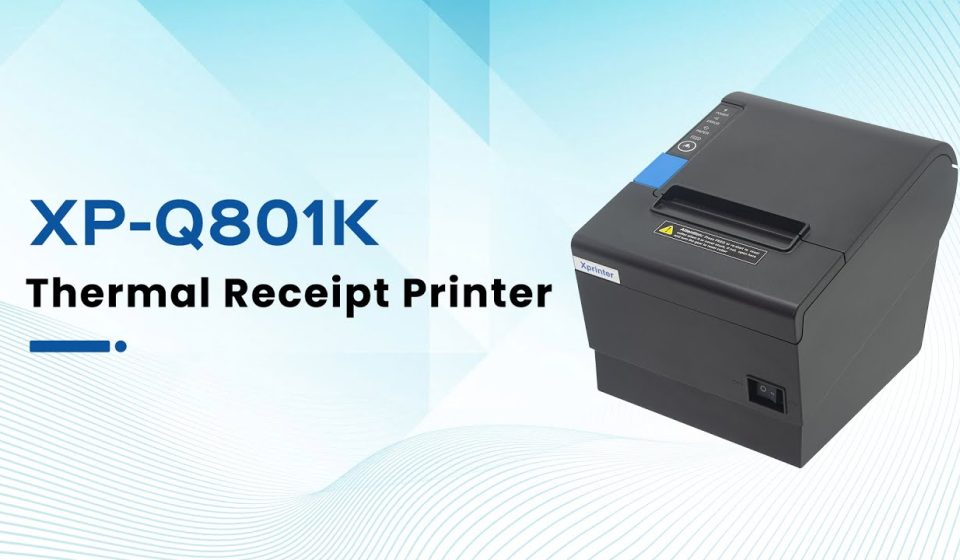

Connectivity is an important consideration when choosing a receipt printer for a retail store, restaurant, café, or other business. The way a printer connects to a POS system can affect installation, flexibility, reliability, and how easily employees can manage daily transactions.
An 80mm Thermal Receipt Printer can support different connection methods depending on the model and business requirements. USB, Bluetooth, and Ethernet are among the most common options, with each offering distinct advantages for different working environments.
Why Connectivity Matters for Receipt Printing
A receipt printer needs to communicate reliably with the POS system that sends transaction information. If the connection is unstable or incompatible with existing equipment, printing delays can disrupt the checkout process.
The best connectivity option depends on factors such as the number of POS terminals, available network infrastructure, printer location, and whether the business needs wired or wireless operation.
USB Connectivity
USB is one of the simplest ways to connect a thermal receipt printer to a computer or POS terminal. It is commonly used for individual checkout stations where the printer is positioned close to the device controlling it.
Advantages of USB
USB connections are straightforward to install and generally require minimal network configuration. They can provide a stable direct connection between the printer and host device.
USB is particularly suitable for:
- Small retail stores with one or a few checkout stations
- Individual POS terminals
- Businesses without a dedicated local network
- Setups where the printer remains close to the computer
The main limitation is that USB typically connects the printer directly to a host device. This can make it less convenient when several terminals need to access the same printer.
Bluetooth Connectivity
Bluetooth provides a wireless alternative for businesses that want to reduce cable clutter or connect the printer with compatible mobile devices. It can be useful for mobile POS systems, temporary checkout areas, and environments where flexible printer placement is important.
Advantages of Bluetooth
A Bluetooth connection can make installation more flexible because there is no physical data cable between the printer and compatible POS device.
It can be particularly useful for:
- Tablet-based POS systems
- Mobile checkout stations
- Small cafés and food-service businesses
- Temporary sales counters
- Workspaces where minimizing cables is a priority
However, Bluetooth performance depends on device compatibility, wireless range, and the surrounding environment. Businesses should confirm that their POS software and operating system support Bluetooth printing before choosing this option.
Ethernet Connectivity
Ethernet connects the printer to a wired local network. This makes it a practical choice for businesses with multiple POS terminals or centralized network infrastructure.
Advantages of Ethernet
A network-connected printer can potentially be accessed by multiple authorized devices on the same network, depending on the POS system and configuration. This can be useful in larger retail stores, restaurants, and other environments with several workstations.
Ethernet is often suitable for:
- Multiple checkout terminals
- Larger retail environments
- Restaurants with several ordering stations
- Network-based POS systems
- Businesses that prioritize stable wired communication
Because Ethernet requires network configuration, installation may be more involved than a simple USB connection. Network settings, printer addresses, and POS software configuration may need to be managed by an administrator.
USB vs. Bluetooth vs. Ethernet
Each connectivity method serves a different purpose. There is no single option that is ideal for every business.
| Connectivity | Best For | Main Advantage | Consideration |
|---|---|---|---|
| USB | Individual POS stations | Simple direct connection | Limited flexibility for shared use |
| Bluetooth | Mobile POS setups | Wireless convenience | Requires compatible devices |
| Ethernet | Multiple terminals | Network connectivity | Requires network configuration |
Some receipt printer models support more than one connection type. A multi-interface printer can give businesses greater flexibility if their POS setup changes in the future.
Checking POS Compatibility
Before purchasing a receipt printer, businesses should verify compatibility with their existing POS software and hardware. A printer may have the desired physical connection but still require specific drivers or software support.
Important compatibility factors include the operating system, POS application, printer drivers, communication protocols, and supported connection interfaces.
Checking these requirements before installation can prevent unnecessary configuration problems and reduce downtime.
Choosing the Right Connection for Your Business
The ideal connectivity option depends largely on how the printer will be used.
A small store with a single checkout computer may find USB sufficient. A mobile business using tablets may benefit from Bluetooth, while a larger operation with several connected workstations may prefer Ethernet.
Businesses should also consider future expansion. If additional POS terminals or networked workstations may be added later, choosing a printer with broader connectivity capabilities can provide greater flexibility.
Reliability and Installation Considerations
Connection reliability is just as important as convenience. A printer that frequently loses communication with the POS system can create delays regardless of its printing speed.
For wired connections, businesses should use appropriate cables and ensure that connections are secure. For Bluetooth setups, maintaining compatible devices within an appropriate range can help support consistent communication. Ethernet installations should use a properly configured network with suitable cabling and network settings.
Proper installation and regular software updates can also help maintain dependable performance.
Conclusion
USB, Bluetooth, and Ethernet each offer practical ways to connect an 80mm thermal receipt printer to a POS environment. USB is simple and reliable for direct connections, Bluetooth offers wireless flexibility, and Ethernet is well suited to networked business environments.
The right choice should be based on the business’s POS setup, number of terminals, workspace, network infrastructure, and future requirements. Evaluating these factors before purchasing can help ensure a smooth installation and dependable receipt printing during everyday transactions.


